Skip to content
VerseKit

VerseKit Your toolkit for Star Citizen

Blueprint tracker, crafting, mining, trading and hangar in one program, with an overlay right on top of the game. Live while you play.

formerly SC BP Watcher

VerseKit runs on a PC with Windows or Linux. You can look around here already.

Free and open source under GPL-3.0. Download, run, done.

Runs on
Windows 10 and 11, Linux
Price
Free, no ads
Account
Not needed, no cloud
Source code
Open, GPL-3.0
VerseKit in 37 seconds, no sound. Click to start the video.

What VerseKit does for you in Star Citizen

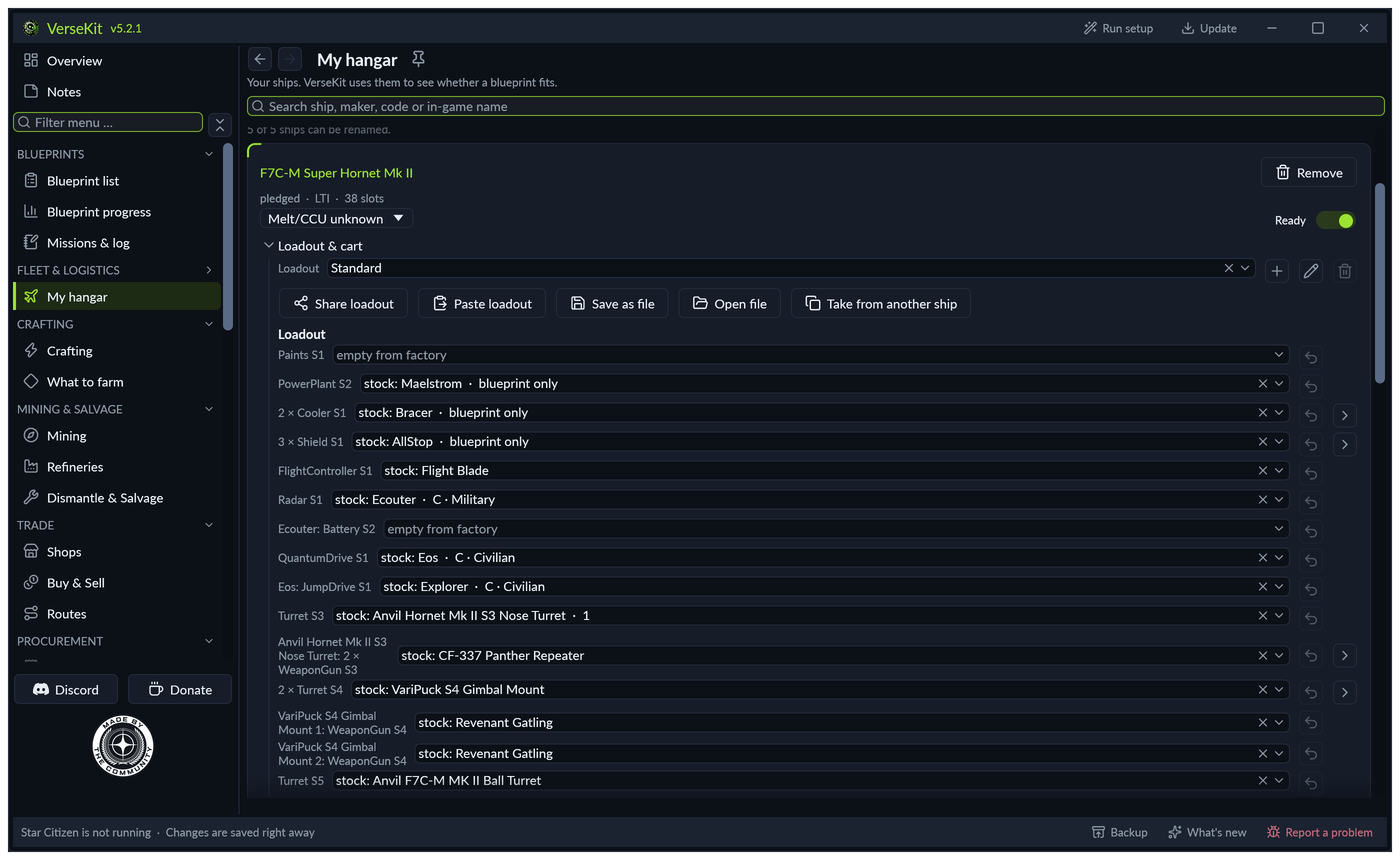
My hangar in VerseKit: your own ships with their loadout

New in 5.2: every slot of your ship

The hangar shows every slot of your ship: turret and weapons, rack and missiles, mining head and modules. VerseKit reads them from the game data of your installation. You fit each slot on its own, parts built into the ship show without a choice.

Share a loadout as a code for Discord or as a file. When you paste one, you see first what arrives. Ships move between Planned and My hangar with their loadout, name and note.
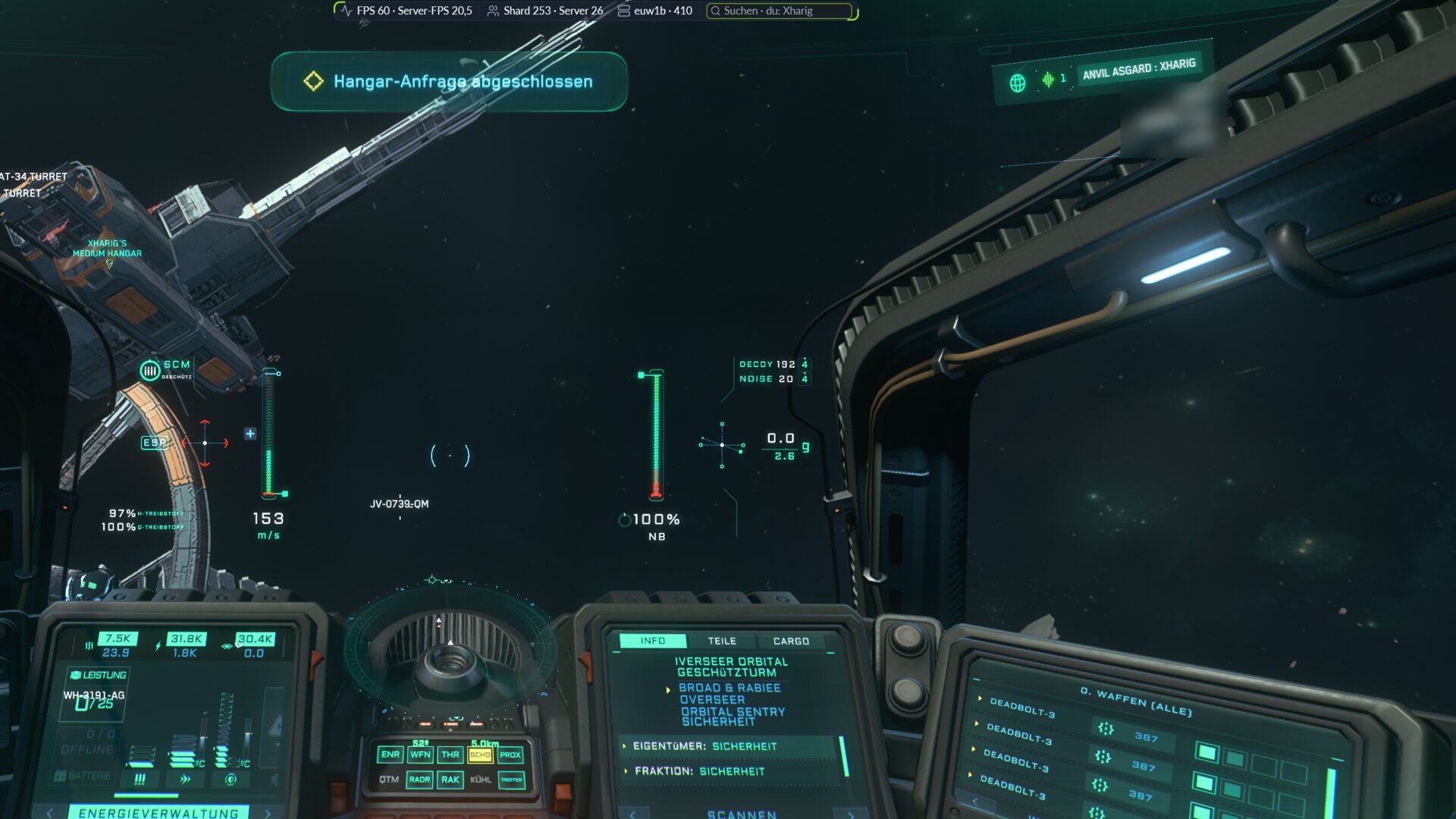
Cockpit in Star Citizen with the VerseKit info bar at the top: FPS, server FPS, shard, players and handle search

The info bar over the game

A narrow bar right over the game: your shard and, if you like, your FPS, the server FPS and the players on shard and server, plus the last hit of the ore scanner. Movable, in a size of its own.

VerseKit reads the values from the game picture. They stay on your computer.

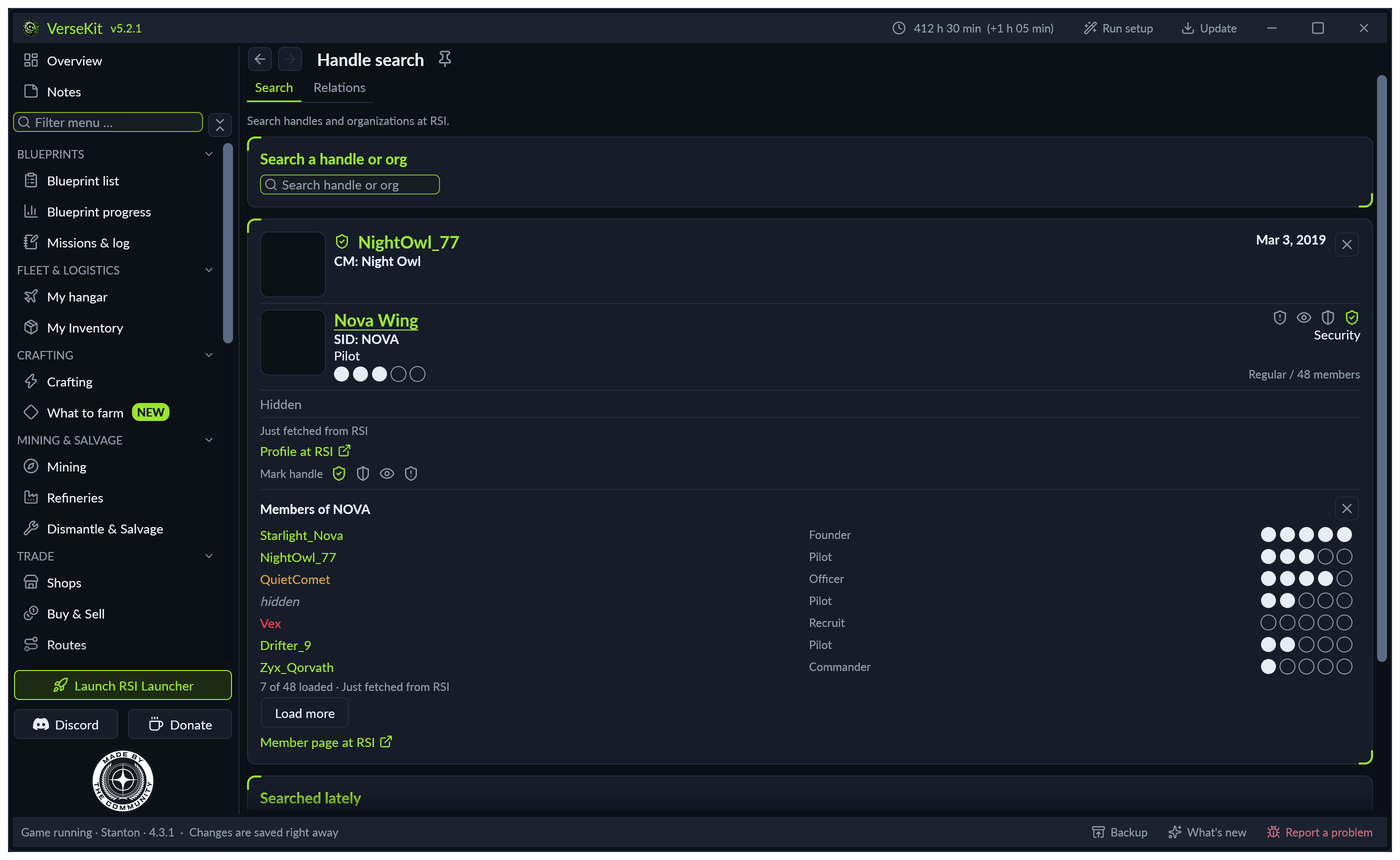
Handle search in VerseKit: card of a player with organization, rank and member list

Who is behind a handle?

Type a handle or org into the info bar, press Enter: name, organizations, rank and profile, without leaving the game. Alt+Shift+H puts you straight into the search field. A click on an organization lists its members.

Mark handles and orgs as friendly, neutral, hostile or watched. The Relations tab shows every mark in one place, with export and import. An org can share its list at an https address, in the sc-social-overlay format too. “Load list” fetches it and keeps your own marks.

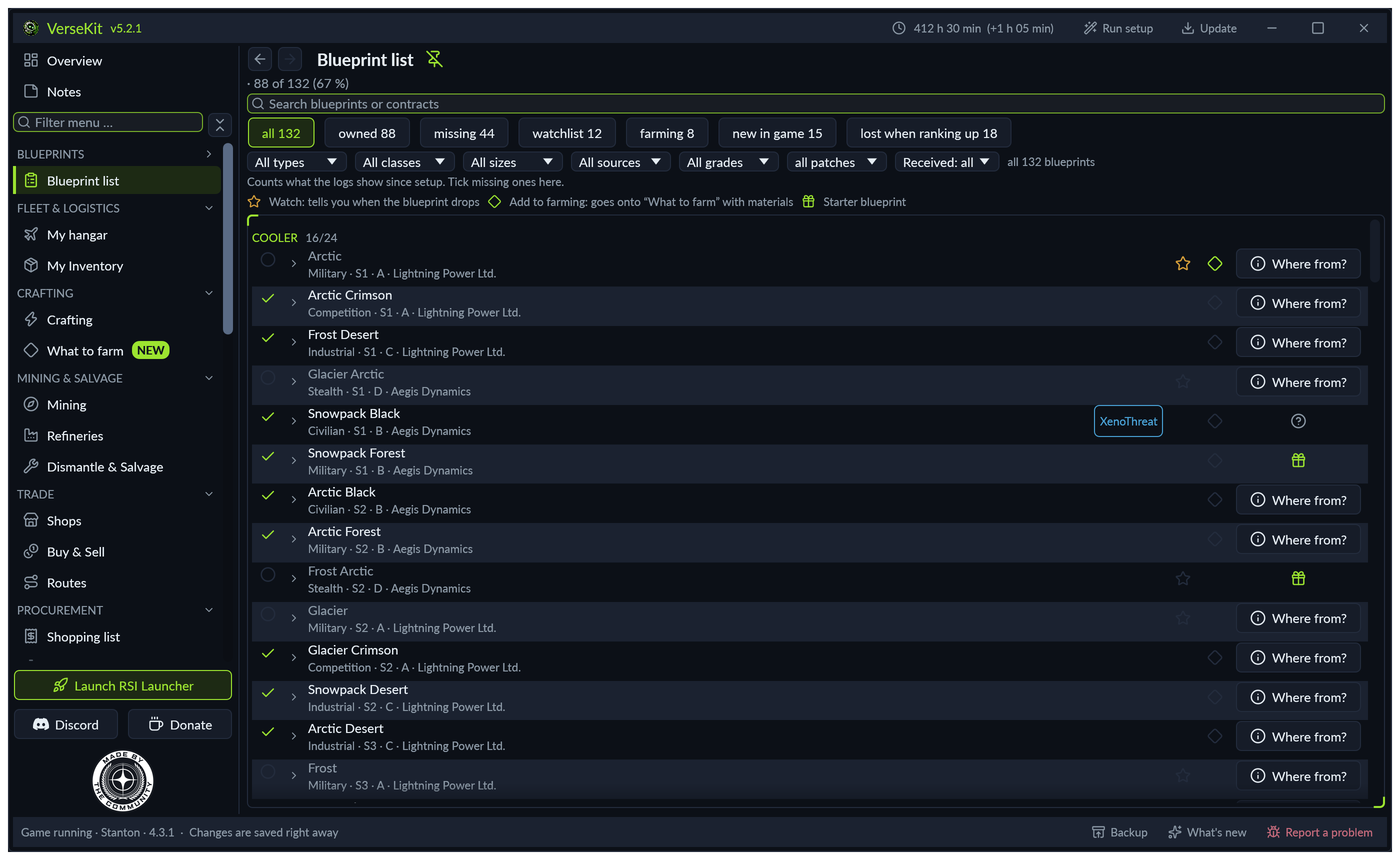
Blueprint list in VerseKit: every blueprint grouped by type, with filters and tick boxes

Blueprint tracker: new blueprints in seconds

Unlock a blueprint and it is in the list at once. VerseKit reads the game's own logs, without touching the game itself.

The overlay shows it right on top of the game: a narrow window, always on top, and it can let clicks pass through.

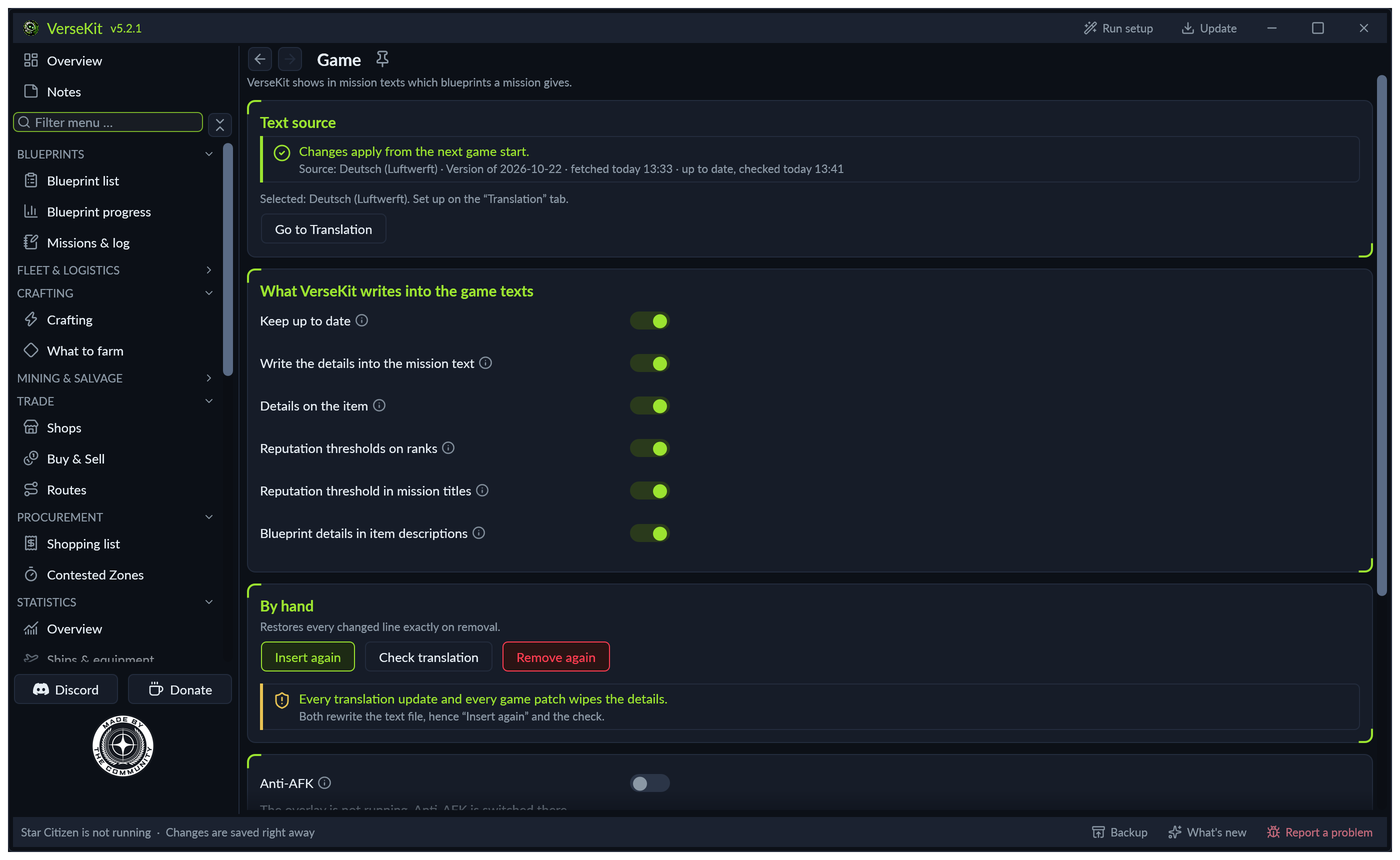
VerseKit writes into Star Citizen's contract texts which blueprints a contract brings

Contracts that bring you blueprints

In game, every contract shows which blueprints it hands out and which of those you are still missing. Without tabbing out.

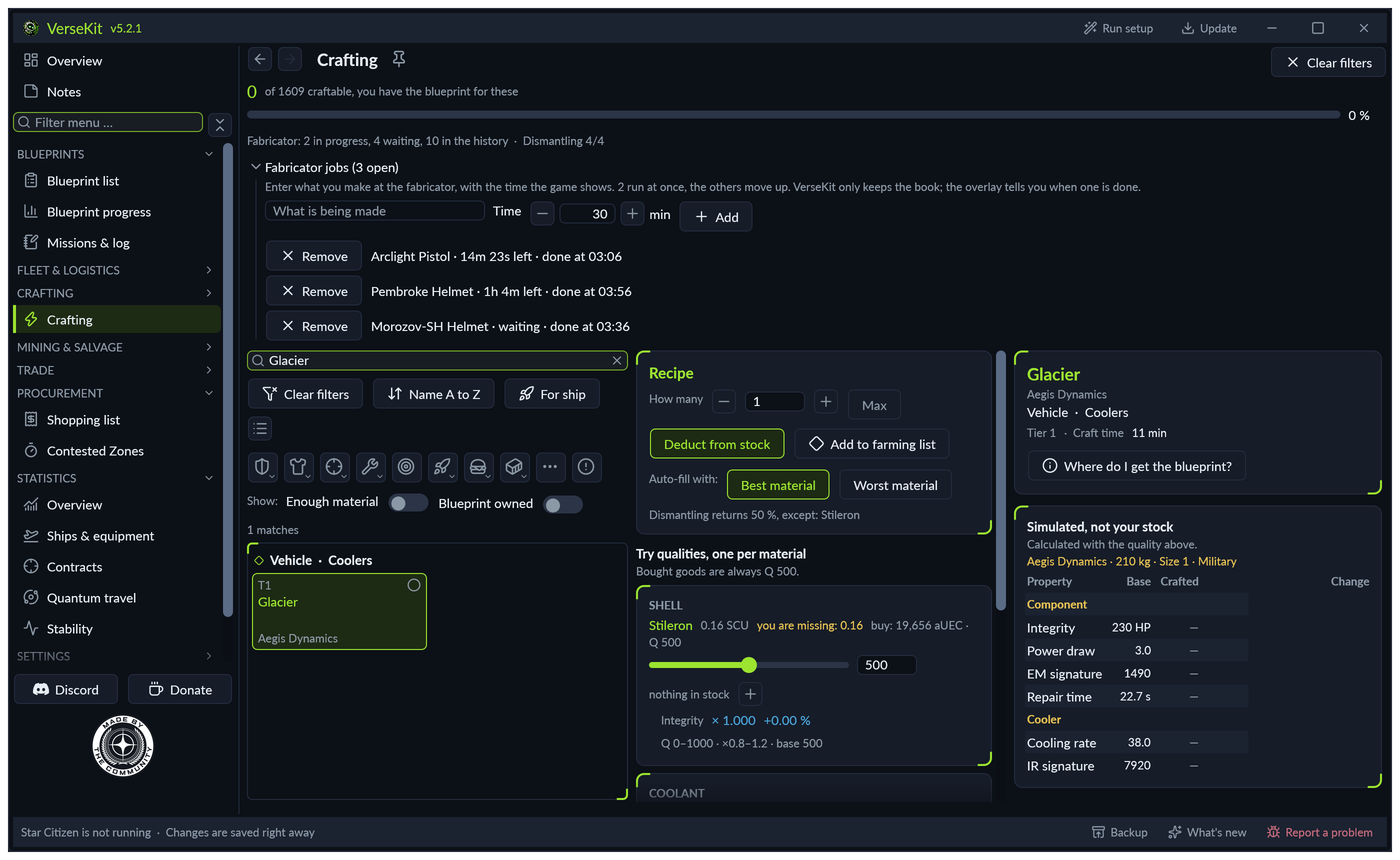
Crafting in VerseKit: ingredients, amounts and crafting time of an item

Crafting: ingredients, times, prices

Ingredients, amounts, crafting time and price for every item, and whether you have the blueprint. “For ship” shows only parts that fit one of your ships. Enter what runs at the fabricator: VerseKit counts down the time left and tells you when it is done.

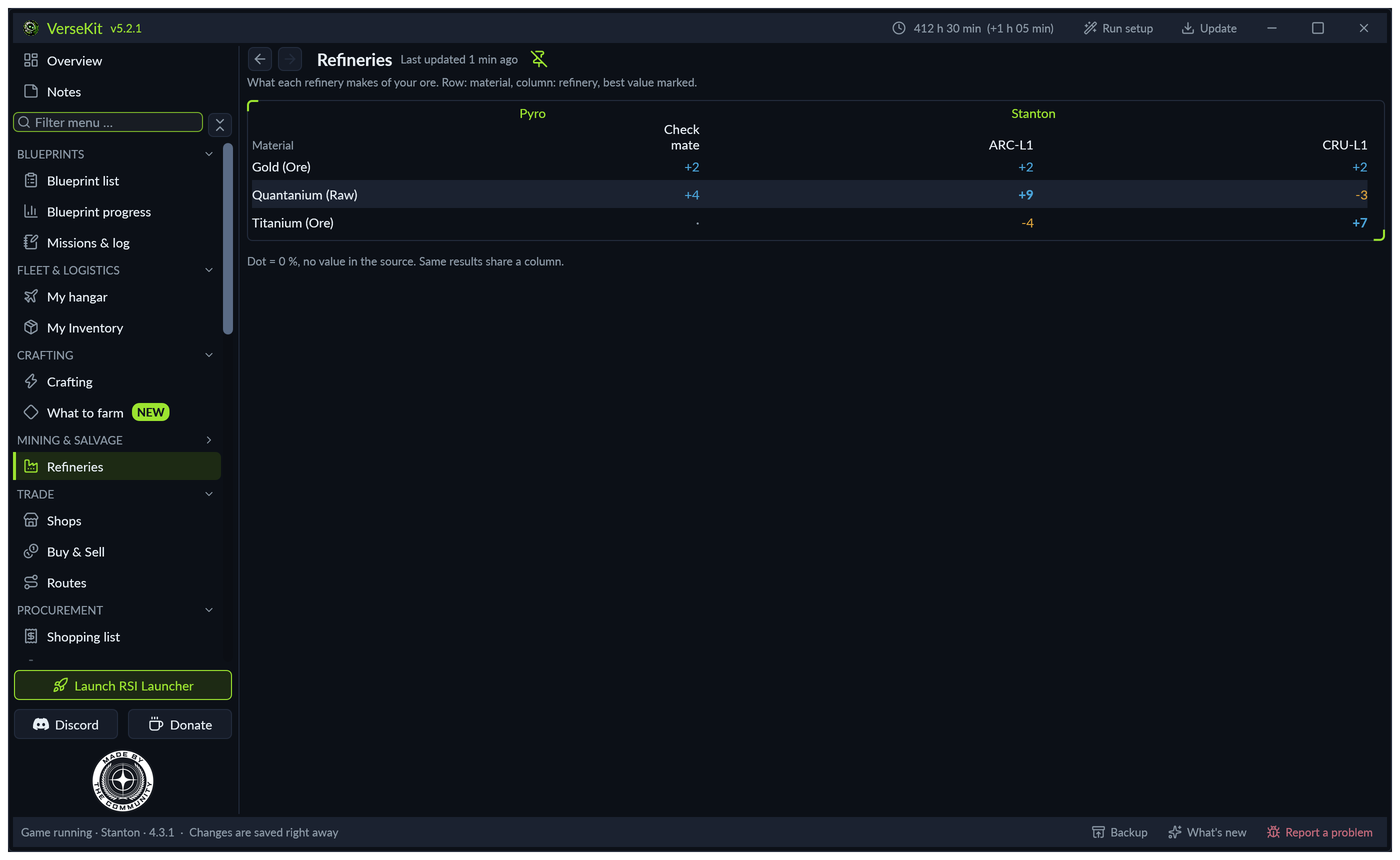
Refinery comparison in VerseKit: bonus and penalty per material and refinery

Mining and refining

Locations and concentration per material, plus a refinery comparison per ore. On Windows, Alt+Shift+R reads the refinery terminal, in the German game too. If the station is surely in the list of places, it becomes your storage location. Yield, speed and cost of the nine methods come from the game data.

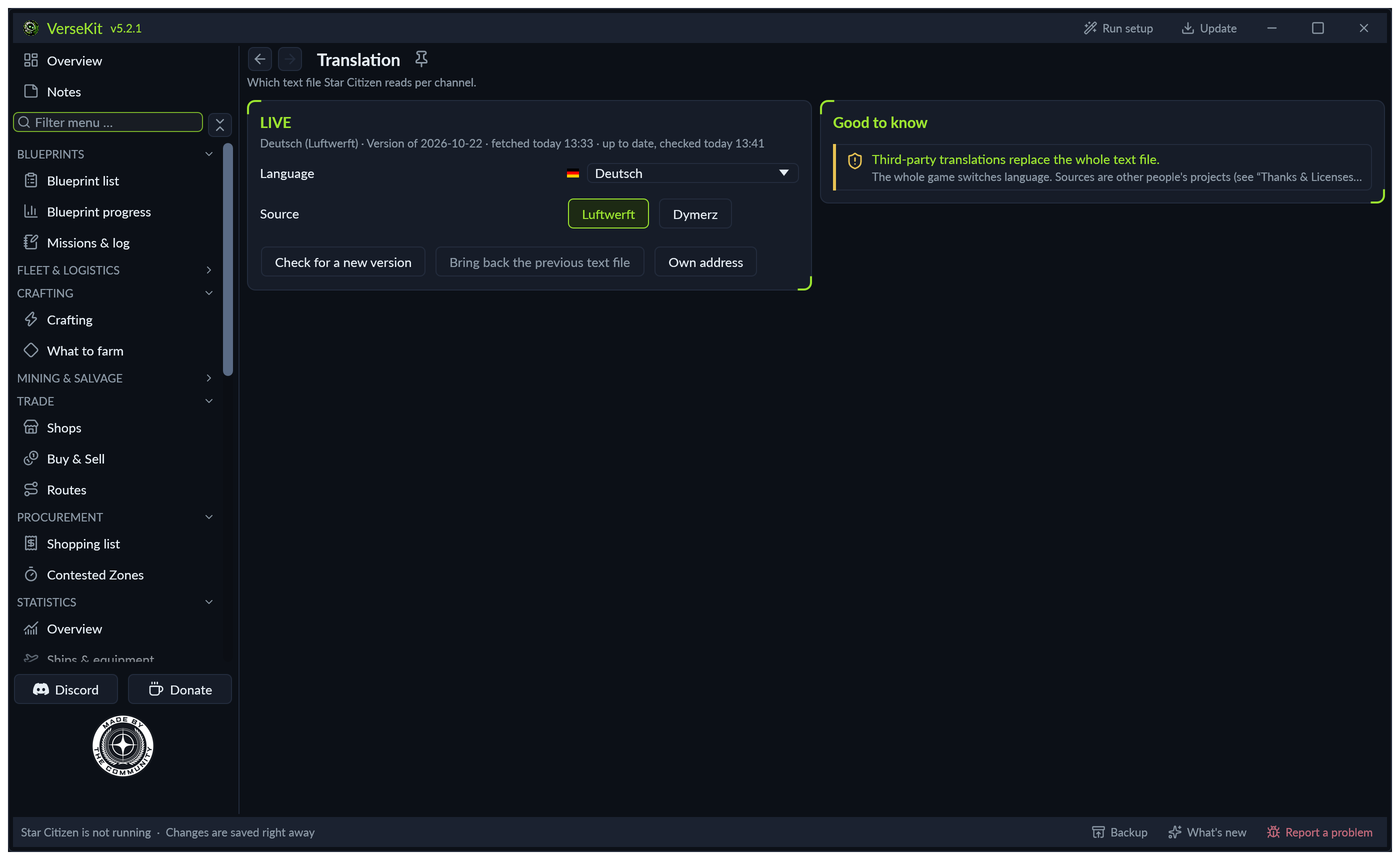
Translation in VerseKit: one card per game channel with its language list and sources

Translation for every channel

German, French, Spanish, Bavarian, Dutch and more, set apart for LIVE, HOTFIX, PTU, EPTU and Tech Preview. If another program overwrites your choice, VerseKit puts it back.

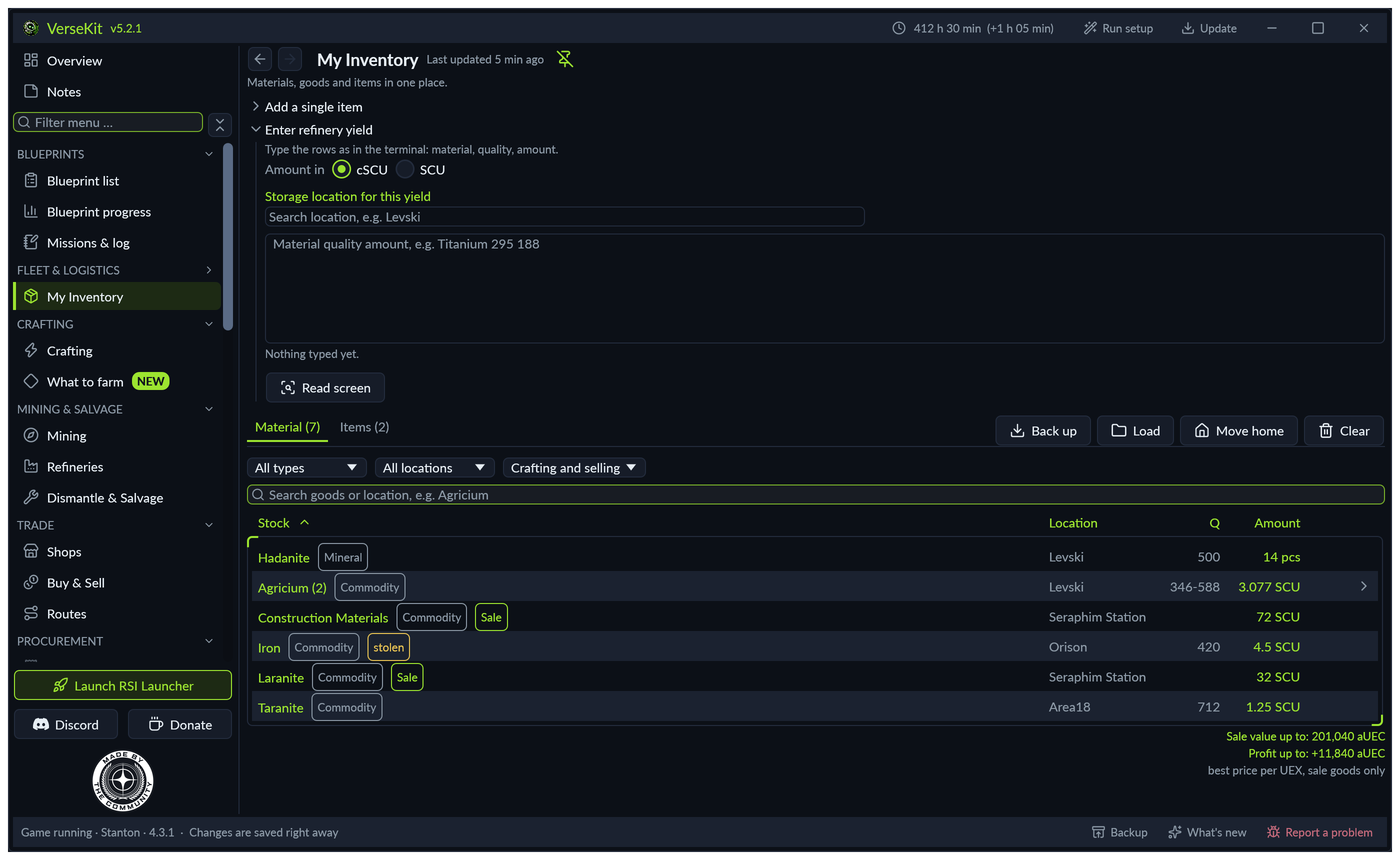
My inventory in VerseKit: materials, goods and items with place, quality and amount

My inventory, with purchases and sales from the game

Materials, goods and items in one place. What you buy or sell in a shop, VerseKit suggests from the log for you to book. After a patch, “Move home” takes everything to your new home location.

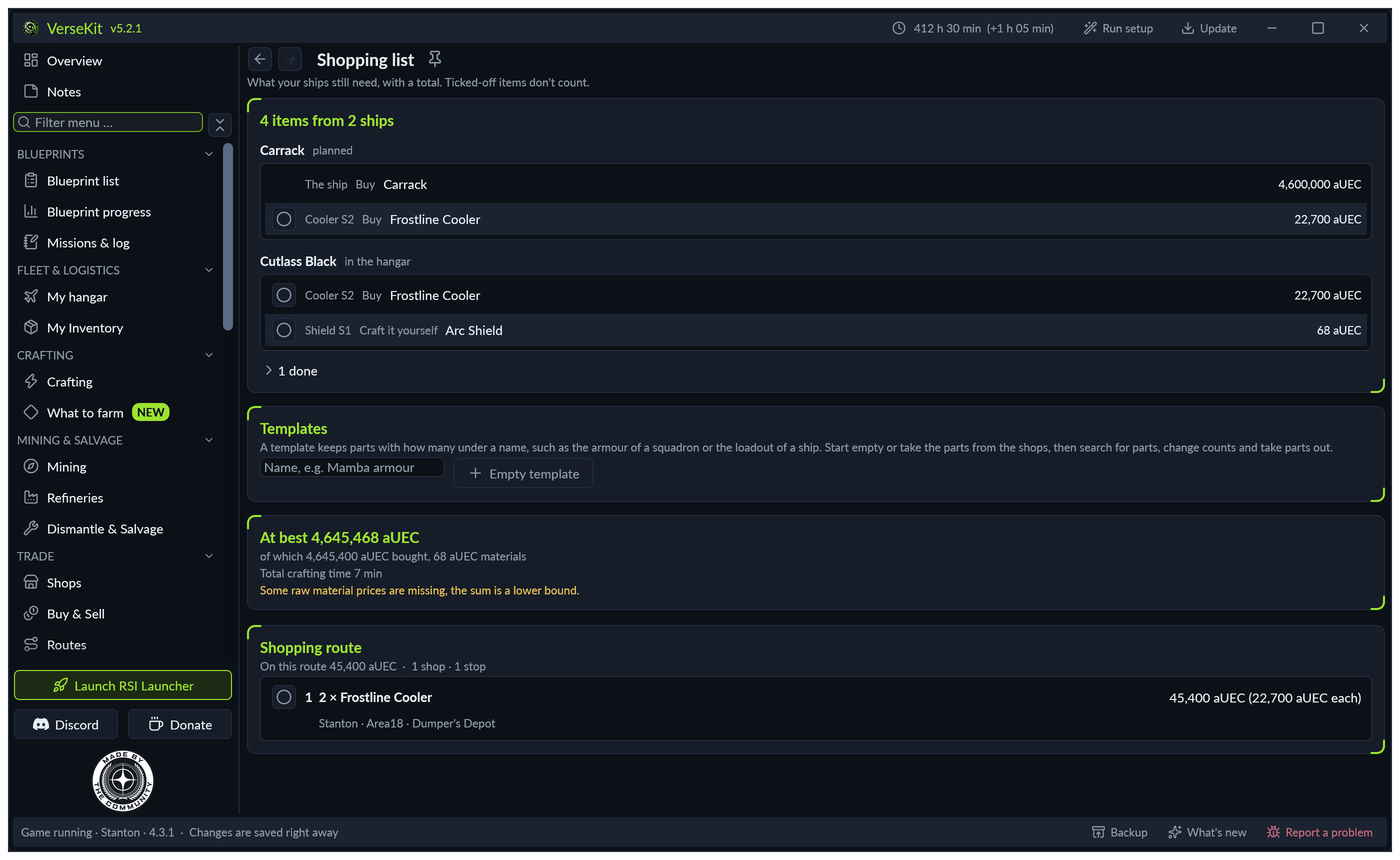
Shopping list in VerseKit: what the ships lack, with prices and a shopping route

Shopping list from the shops

Parts from the shops go into one list with their amount, per ship, with a total and a ready shopping route. If a part is sold in a system you fly to anyway, the route stays there. Set a ship to Ready and VerseKit offers to tick off its open items.

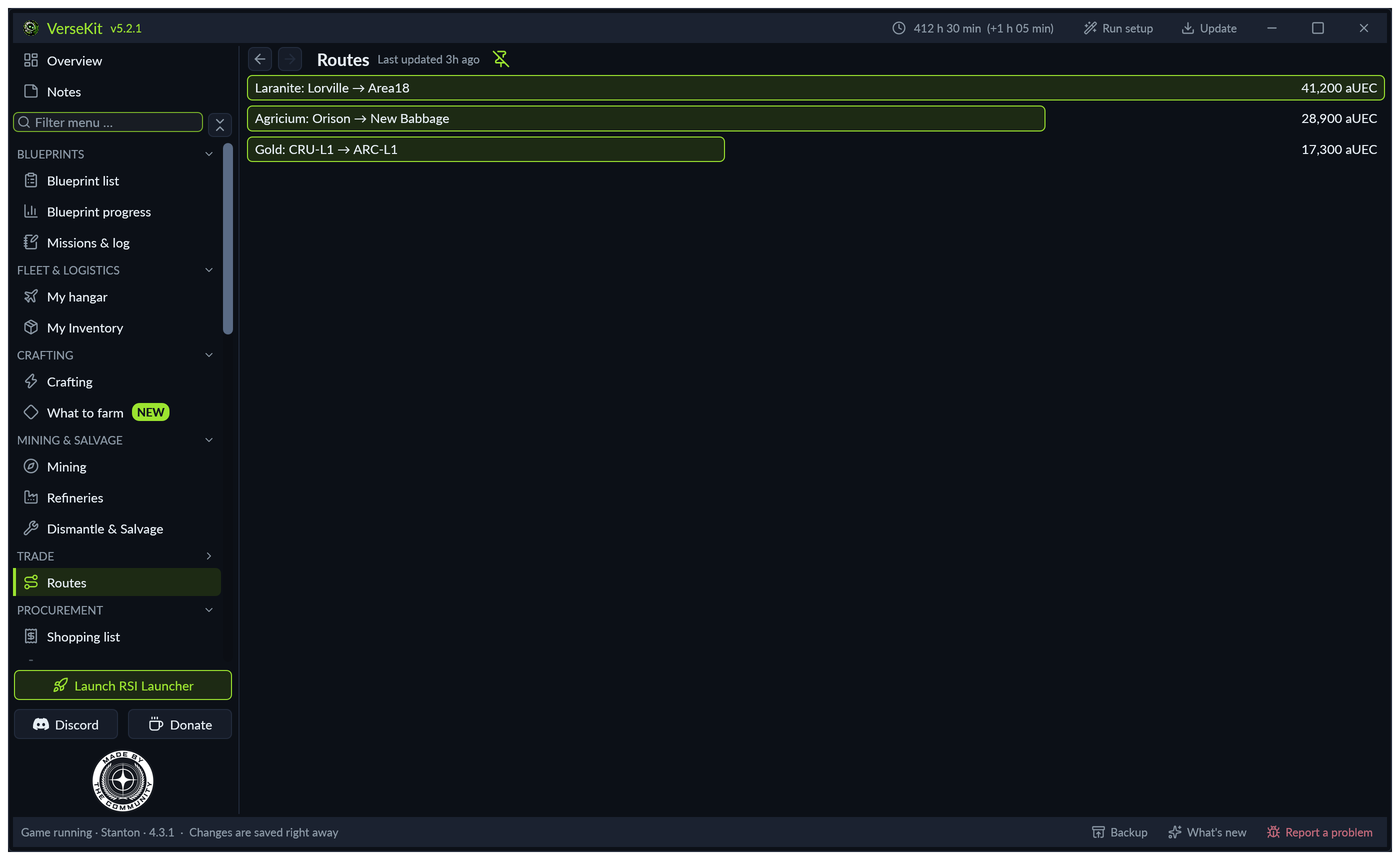
Trade routes in VerseKit with profit per run

Trading with real profit

Shops, sell locations and routes that tell you what is left at the end. Not just what something costs. Pick a location to see its shops, one click shows everything a shop sells with its price.

Statistics in VerseKit: play time, sessions, contracts and quantum jumps

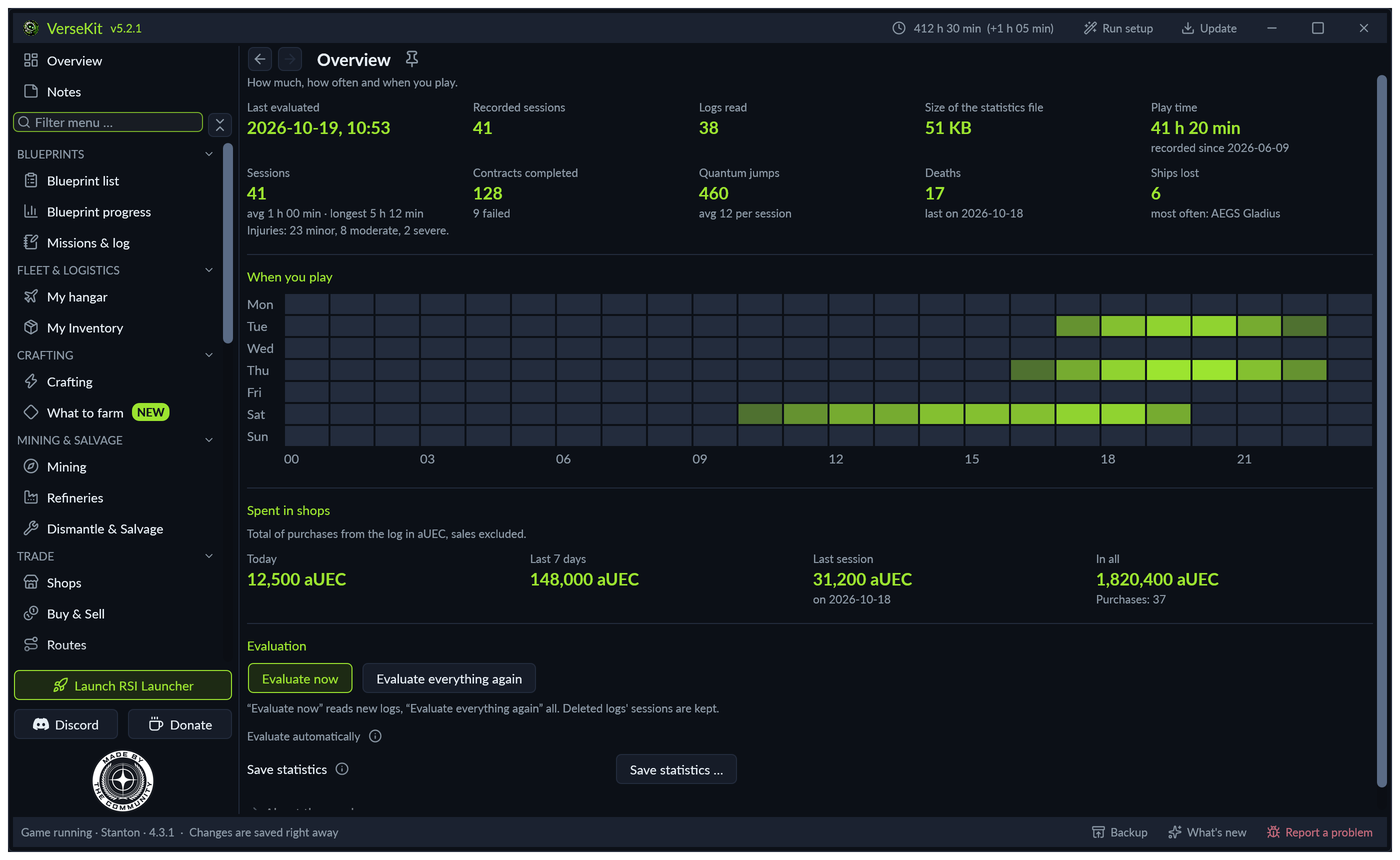
Your statistics

Play time, ships, contracts, quantum jumps, crashes and injuries, counted from your game logs. They are kept even after the game deletes the logs.

Controls in VerseKit: which stick has which number

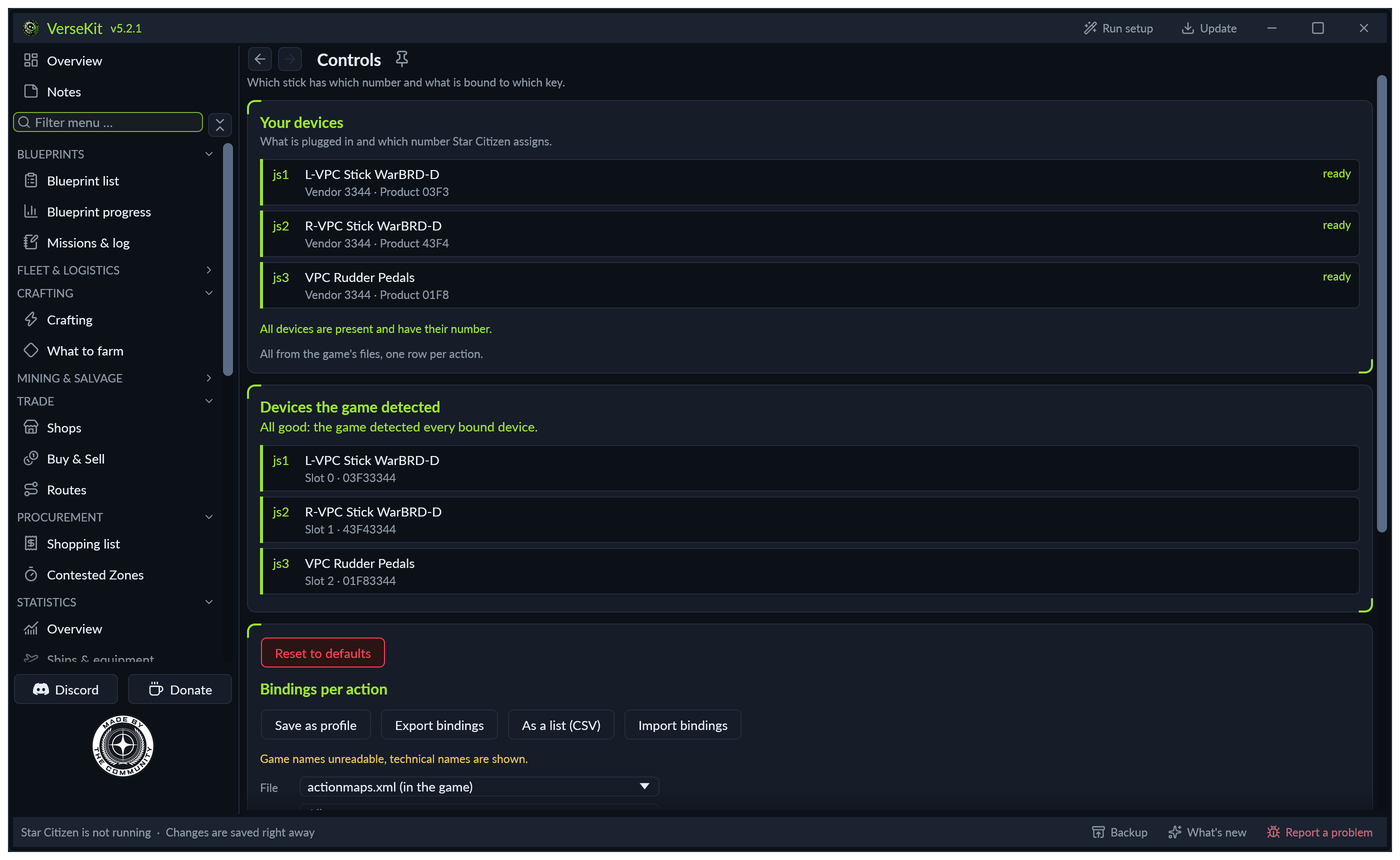
Your look, your controls

Six colour schemes and any size you like. Plus: see which stick has which number. Under Axes & curves you set dead zone and curve per axis, with a large preview.

What VerseKit writes into the game

VerseKit adds what the game's own texts leave out. Class, size and grade sit right next to a component's name. Every contract shows which blueprints it hands out, and below an item's description you see whether you already have its blueprint. Each part can be switched off, and “Remove again” restores the original texts character for character.

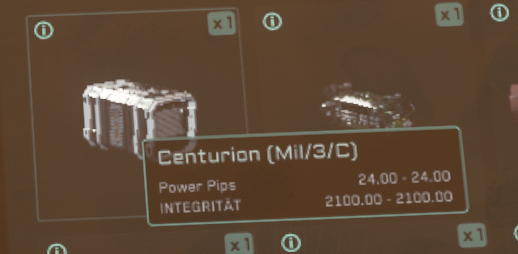
Inventory in Star Citizen: power plant “Centurion (Mil/3/C)” with class, size and grade next to the name
A power plant in the inventory: “Centurion (Mil/3/C)” means military, size 3, grade C. You don't need to open any description for it.
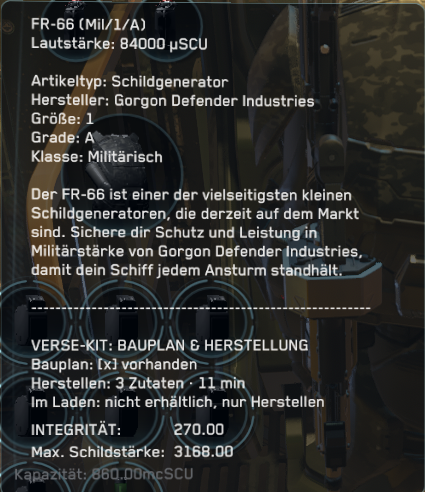
Shield generator “FR-66 (Mil/1/A)” at the terminal with the VerseKit block below the description
A shield generator at the terminal: the tag next to the name at the top, the VerseKit block below the description. Blueprint owned, three ingredients, eleven minutes, not sold in shops.

More about VerseKit

  • Tour

    Click through every page of the program, with example data and all six colour schemes.

  • Download

    Ready in three steps, with checksum and everything VerseKit does and does not do.

  • FAQ

    Answers on scmdb, Basetool, shortcuts, and help when something does not work.

  • Changelog

    Every version since the first, searchable. The same texts as “What’s new” in the program.

New to Star Citizen?

Sign up with my referral code STAR-YC7L-S4W2 and you get 50,000 UEC of in-game credit after buying a game package.

Feel free to pass the code on to friends who are just starting, they get the same 50,000 UEC.

Sign up with my code

Ready for your next session

Free, no account, for Windows and Linux.